
CAN Connection Cable Range
Link Engine Management has a new range of Plug and Play CAN Connection Cables, making it easier and cleaner to connect CAN devices to your LinkECU. These cables simply click together with very little to no soldering or crimping required.
Which Cables to use?
Link PlugIn ECUs
We are changing the CAN connectors on all newly designed PlugIn ECU’s to make the connection easier for you.
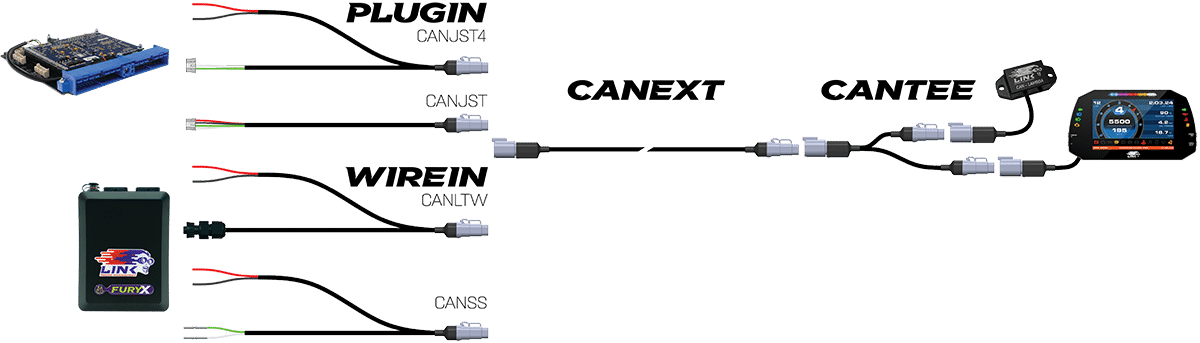
The recently released Honda S2000X PlugIN ECU and all newly designed PlugIN ECUs to be released in the future, will have a 4 pin JST socket on the PCB instead of the old 5 pin connector. This new socket provides not only connection to the CAN bus but also includes a 12V, 3A power supply for powering connected CAN accessory(s), so no further user wiring is required. These new PlugIN ECUs will use the CANJST4 CAN Connection Cable.
The new 4 pin JST socket has been tested to be sufficient current for powering a Link CAN Lambda, a Link/AiM dash and most other 3rd party devices such as EGT amplifiers. The 12V supply is protected with an onboard self-resettable fuse.
All other G4+ and G4X PlugIn ECU’s designed before the S2000X will continue to run the 5 pin connector until further notice and will require the CANJST CAN Connection Cable.
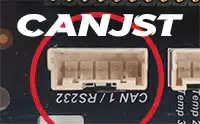

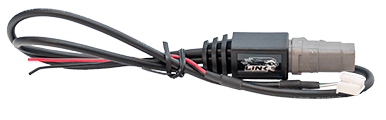
CANJST
For connection to PlugIn ECU’s with 5 pin JST connector (Prior to S2000X).
DTM4 Male to JST5. 12V & GND Flying Leads.
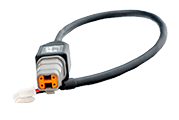
CANJST4
For connection to PlugIn ECU’s with the newer 4 pin JST connector (S2000X onwards).
DTM4 Male to JST4. 12V and GND Terminated to JST4.
Link WireIn ECUs
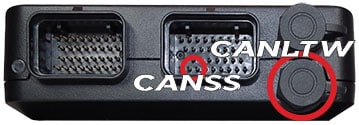
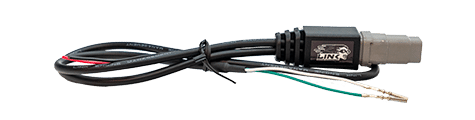
CANSS
For connection to WireIn ECU's Can Port 2 (ECU Header CAN).
DTM4 Male to Flying leads. CAN H & L crimped with Superseal terminals. 12V & GND Flying Leads.
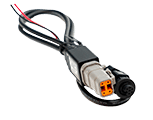
CANLTW
For connection to WireIn ECU's round Can Port 1 (6 pin CAN Connector).
DTM4 Male to LTW 6 pin. 12V & GND Flying Leads.
Additional Cables
The CANTEE - CAN Splitter Cable and CANEXT - CAN Extension Cable 2m can be used with any of the above four cables.
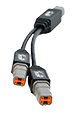
CANTEE
CAN Splitter Cable for connecting an additional CAN device.
DTM4 Female to 2 x DTM4 Male. Includes CAN and Power Wiring.
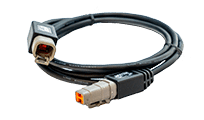
CANEXT
2 meter CAN Extension Cable for increased reach between your ECU CAN cable and CAN splitter/s or CAN device/s.
DTM4 Female to DTM4 Male. Includes CAN and Power Wiring.
Connector Kits
If there are any obstacles the above cables can't fix, the DTM4M and DTM4F give you the ultimate flexibility to create what you need.
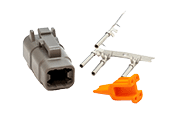
DTM4M
Deutsch DTM4 Connector Kit (Male) to create your own connection cable.
DTM4 Male housing. Includes wedgelock and sockets.
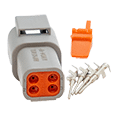
DTM4F
Deutsch DTM4 Connector Kit (Female) to create your own connection cable.
DTM4 Female housing. Includes wedgelock and pins.
CAN Connection Cables User Manual
The online CAN Connection Cables User Manual including wiring, termination resistors and DTM4 pinout instructions can be found here.